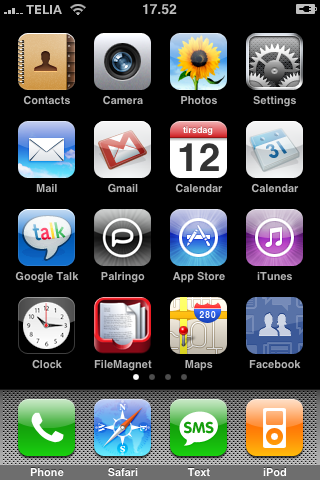
A nice little feature on the iPhone OS is to take a screen shot of iPhone’s display, here is how to do it: Quickly press and release the SLEEP/WAKE and HOME buttons at the same time. A white flash of the screen lets you know the screenshot was taken. The created screenshot is added to the Camera Roll. So there is no need for an app or application on your 3G / 3GS to do the trick.
Thats awesome, thanks. I’ve been wondering for days how I can do that
That is sooooooo cool
omg, thank you.. i just noticed that there was a screenshot in my phone from about a month ago.. must have done it while i was drunk one night.. and was wondering how i did that.. u r awesome. thanks again!
Cheers mate. I accidentally did it today drunkenly opening a message, and couldn’t work out how.
This tip is very much useful.
Awesome. Truly awesome. Thank you for providing such a useful tip.
That’s fabulous! Now why on earth wouldn’t Apple make that easier to figure out in their user guide? The iPhone has so many functions and I’m sure I’m not using half of them. Bummer. But thanks for the easy instructions!
does anyone know why I get white borders around my screengrabs? but if i do this on other phones it doesnt have a border?
Yes, Dan, you can put a border around your screenshot by getting the Photogene app. I LOVE that app!
Thanks for the quick referance. Much appreaciated.
Great tip, needed this for an iphone app that we are developing.
Cool. This is perfect, thanks!
Anybody have any ideas why an iphone 3G would stop taking screenshots? It used to, just simply doesn’t respond anymore.