— UPDATE —
FOLLOW THIS LINK TO GET THE SNOW LEOPARD COMPATIBLE PLUGIN
— UPDATE —
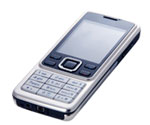
The Nokia 6300 do not appear in the list of supported phones for the iSync application in Mac OS X. Nokia has neither made a plug-in available yet, but it is possible relatively easy to make the iSync work. Here is at short guide to make it work:
- Make sure iSync is not running.
- Locate the iSync application in the Applications folder, and select Show Package Contents.
- Locate the MetaClasses.plist file at this path: Contents > PlugIns > ApplePhoneConduit.syncdevice > Contents > PlugIns > PhoneModelsSync.phoneplugin > Contents > Resources.
- Back-up the MetaClasses.plist file just to be safe.
- Open MetaClasses.plist with a ordinary text editor, e.g. TextMate.
- The trick is to find a phone in the XML list with the same operating system as the Nokia 6300 phone, which is the Nokia Series 40, 3rd edition, with Bluetooth and USB. The Nokia 6280 fits this requirement, and the below XML is a copy of the 6280 XML entry with changes to fit the 6300, which should be inserted below the 6280 entry.[ad code=1 align=left]
com.nokia.6300 Identification com.apple.cgmi+cgmm Nokia+Nokia 6300 com.apple.gmi+gmm Nokia+Nokia 6300 com.apple.usb.vendorid-modelid 0x0421/0x045A InheritsFrom family.com.nokia.series40.3rdEd.bus.usb-bt Services ServiceName com.apple.model ServiceProperties ModelIcon NOK6300.tiff ModelName 6300 ServiceName com.apple.synchro ServiceProperties MaxCityLength 50 MaxEMailLength 60 MaxEventLocationLength 150 MaxPhoneNumberLength 48 MaxPostalCodeLength 50 MaxStateLength 50 MaxStreetLength 50 MaxURLLength 60 Alternative: Copy the 6300 XML from this link
- Add this phone icon NOK6300.tiff in the same folder as the MetaClasses.plist file. It is important that the file name matches the one in the XML definition.
- Now it should work… Save and close the MetaClasses.plist file and start up iSync. Make sure that Bluetooth is enabled on your phone. Select Add Device… from the iSync Devices menu. iSync should find your Nokia 6300, and display the icon that you just added.
If the USB connection is to be used for the iSync with the Nokia 6300, e.g. if you do not have a bluetooth device on the computer, then change the com.apple.usb.vendorid-modelid XML setting from 0×0421/0x045A to 0×0421/0x04F9
Additional notes:
- When to the bluetooth connection is setup properly, it’s also easy to put music on the phone. Just select Browse Device… in the dropdown under the bluetooth icon in the menu bar, and browse to memory card and drop your music.
- If you are having trouble connecting to the internet via bluetooth using the phone, take a look at this post.
- Nokia has also posted some information about how to connect your Nokia phone to a Mac, and setup iSync. More here…
- The approach is tested and working with the Nokia 5300 with USB connection, view these comments here and here.
Related Articles:
- Nokia 6300 iSync Plugin (Snow Leopard Compatible)
- Nokia 6300, iSync Plugin, and Contact Photos
- Setup Internet Connection via Bluetooth using Nokia 6300 on Mac OS X
- Nokia 6300 Firmware/Software Update Download
- Nokia 6300 – Apple iPhone Theme
- Nokia 6300 Mac OS X Theme
- Syncronize Google Calendar with mobile phones using GCalSync
- iPhone Theme for Nokia Phones
- Setup and Use GMail on Your Phone
- Java SSH Client for Nokia phones
Hi
Please can someone help me, I’m going cra zy here. I’ve tried to follow the instructions to the letter but still have no luck syncing my new phone, regardless of what I do I am told “iSync can not connect to this device” I tried to use the plug in but then iSync wouldn’t even open? I’ve copied and pasted the stuff I’m supposed to but to be honest I’m not sure if I pasted it in the exact place I did this
Did I paste it in the wrong place or what? I went to the end of the 6280 bit and pasted the provided stuff?????? Please can someone direct me as this would make my life so much easier. Here’s hoping from a guy who is trying but at the end of the day dosen’t even know what XML is??????? I’ve spent all day trying to fix this and all sorts of indents and whatever I can think of thus far all I can do is export a few addresses???
Cheers
@ Ian Heffernan
I allowed myself cut out the XML snippet of your comment since it was quite long, however it seems like you pasted it right:
- paste here -
<key>com.nokia.6600</key>
Are you sure, you restored the MetaClasses.plist and removed the changes, before you tried to install the plugin?
People like you amaze me! It works fine after going back to the original metaclasses.plist then installing the plugin. Birthdays don’t seem to sync but I’m sure I can live with it. Thanks for your time.
Cheers
Hi,
Fantastic advice throughout,however, would this same technique work with the N95?Any comments would be greatly appreciated….
John
I will be eternally grateful!! It worked, after trying EVERYTHING! THNX!
Hi,
The fix to sync the Nokia 6300 with iSync worked just fine. Thanks a lot Klaus!
Now to a somewhat different issue (or challenge if you like) including the Nokia 6300 and MacOS X – to use the 6300 as a Bluetooth fax modem! Hopefully you, Klaus, or somebody else has a solution for this.
When connected via Bluetooth I can use the 6300 to connect to the Internet via GPRS. This worked out of the box – my service provider is Telia (Sweden) – just by connecting the phone via Bluetooth and then select “Join network on “. I also found out that there is a possibility to set up a “Bluetooth-Modem” to use for faxing. Not that I fax a lot of things, but in some cases it is really convenient. After all, there are still some “old-schoolers” around out there, thus the need for faxing sometimes.
However, I followed this guide (http://docs.info.apple.com/article.html?artnum=301077) to set up the Bluetooth modem, but I can’t get it to work even though the setup seems just fine. Using the “Fax PDF” option when printing a document to send the printout to the Bluetooth Modem, the phone is activated (connected to) but the connection stops just after a second or so. When trying to resend the fax, I discovered that an error message flashes by on the computer screen telling me that there was a “fax protocol error”. I tried a number of different modem settings in the Fax PDF window, but no luck so far. Has anyone succeeded with this?
When searching the web on this issue, it seems like a lot of people have similar problems, but nothing specific for the Nokia 6300, so far.
I have a MacBook, running with MaxOS 10.4 (Tiger).
Cheers,
Ola
thanks klaus, it works just fine for me!
Hello, it doesn’t work for me ? Is it because i have OS X in french ? I don’t think or maybe it is case sensitive in the XML file ?
thx
bluetooth work but i can not add a new device in isync
Ok after several tries it works. Nokia is strange with bluetooth.
For others users who can have troubles to isync, launch several times your bluetooth connection on your nokia. It just works
Thx a lot Klaus
Hi,
Thanks for the tips! I still have an issue transferring music files via the ‘Browse Device’ option in Bluetooth – I keep trying to dump music files but it always tells me ‘bad transfer’. The Bluetooth connection is good, I have 2GB of spare memory on my phone, and am using Max OSX 10.4.9 with a Nokia 6300. Can anyone offer any advice?
Cheers
Jonathan
Hi Klaus,
Such a great thing you did here,
My contacts synched in fine, thanks a lot!
Just a comment on your tutorial: I am not sure everybody will understand exactly wher to insert the copied text as you send them 1st on a series40-usb-bt word on the plist and they really have to go to nokia.6280 to do the code insert.
best, PG
Thanks for this fix. Worked a treat – very easy follow.
Works fine with Nokia 3110 on 10.4.10.
Thanks
works great – thanks mate!
thanks a lot!
shame on Nokia, though
What a legend, worked a treat, cheers!
i just got my nokia 6300 today.i am satisfy with this phone but just got one thing i need all of you guys help. . i am not able to view any microsoft file,means word document in my phone.i really need this software so much as i need to transfer all my catalog to my phone.. all of them is word file..i need all of u guys help if can plz guide me by sending an email to me…thanks a lot i hope somebody can help me out…my email address scy1987@hotmail.com
i really need all of you guys help…any help is much much appreciated.
I have just had a Nokia 6300 and a 17″ MacbookPro delivered. Thanks to your easy to understand instructions even a computer illiterate like me can do it. Thanks for your helpfull information.
till today i still cant find any solution to view microsoft word file to be view in my new nokia 6300.can anyone please help me out.i need help urgently.without viewing a word file in my mobile phone i cant operate my daily work.please help me out about this issue. your help is much much aprreciated.
I don’t know about any standalone Nokia 6300 compatible applications for viewing Microsoft Word documents on the phone. However, if you have a Gmail Account, you can install the Gmail Mobile Application, which is able to open attachments you receive in messages, including photos, Microsoft Word documents, and PDF files. Using this approach you have to mail the document to your Gmail in order to view the content — of cause viewing documents using this approach will have a fee according to your specific network operator.
More information on Gmail on the mobile in this post.
Great! Thank you so much!!
Hi Klaus
Tried by modifying the plist file. When it didnt work, installed ur plugin. When I try and run iSync, it gives an error, saying iSync cant open because of a plugin – not supported in this version. Pls pls help!
Bhaskar
thanks so much for this guide..
i used to have a nokia 6260, i dont have any problems in iSync with 6260. and when i bought nokia 6300. damn! this phone is not supported in iSync (by default) do i have to move my contacts from address book and write it 1 by 1? and that would be sucks big time. but thanks to all people who wrote this guide, i can finally sync my 6300 with my macbook pro via bluetooth with no problems at all.
At first couldn’t connect but then deleted the existing pairing and reset up and it worked a treat. Many thanks for this. I will be telling Orange about this fix as they hadn’t got a clue about isync.
~Can anyone help with an unrelated question. On my 6230 it had a very useful feature called wallet. This no longer features on the 6300. Anyone know if there is a similar app available. I’d like a file vault to store my passwords (non critical) on my phone and don’t like the idea of unprotected notes. Presently I have to remember to lock the key pad and secure it with security code which is OK but not as great as Wallet.
Best
Adam
I tried iSync to connect my Nokia 6300 but no joy. Have used your patch by copying and pasting xml file using textedit supplied in mac, it does not work. I get the message the device is not supported.
I also tried editing the plist file by replacing 6280 by 6300 everywhere, still no joy. I am kind of lost, need help. Please provide me some insights on how to sync my 6300.
h/w: iMac G5
o/s 10.4.10
isync version: 2.4
thanks in advance
Sam
Klaus K – du er en helt! Tak fordi du reddede mine 244 kontakter!
Thank you! I am SO pleased!
Please someone help me with my above query. Thanks
Sam
Thanks klaus,
I got the same problem as someone mentioned above.
The plugin klaus provides to us does work, however when I sync my ical events onto 6300, those events will alwasy have hours delay. like, an event at 11 am in ical will become 9 am in 6300. I’ve double checked that the timezone on my Mac and 6300 are same.
Anyone has the same problem? Has anyone solved it?
Hello
My phone does not detect any connection problems and it sends all the data to Mac, but Mac gives me this message:
Connection to the phone failed.
Please make sure that your phone is turned on. If this error occurs again, please restart your phone.
Device “Betty MacBlue” synchronization failed
And I dno’t get any data from the computer to the phone…
Can you help?
Works like a charm with the Nokia 3110 Classic that I just received from my employer.
iBook G4, Mac OS X 10.5.
Kind regards,
Frank De Laet
My 6300 connects and starts to sync my contacts but gets to 116 out of 137 then the phone sort of cancels the sync and the process fails. Any ideas folks?
Cheers
Lee
ive done all as recomended and now isync says the plugin isnt compatible im using isync 2.4 what am i doing wrong
i followed the instructions. anyhow, isync was unable to connect to my cellphone. what i tried next was to first connect the computer using the bluetooth program and after i got access to the nokia 6300 also isync managed to detect the phone!now it works properly….
Any one got this workin with leopard?
Worked perfectly with a Nokia 3110 classic.
Simply substitute the “6300″ in the example code with “3110″.
Cheers
Andreas
Pingback: Nokia 6300 e iSync
Hi, I documented the steps to get the Nokia 3110 classic to synchronize with iSync separatly:
http://disruptivetext.blogspot.com/2007/11/leopard-isync-and-nokia-3110-classic.html
do you know how to transfer music & videos from itunes to nokia 6300
Tried all fixes that i found on the net, this one did it! (changed 6300 in 3110, including the name of the icon).
Thanks very much for makin’ it available, Klaus.
MacMini (Intel) OS 10.4.11, iSync 2.4, Nokia 3110c.
Thanks very much worked perfectly…
d.
thank you! this was great with 6300. Any tips for the nokia 6550c (classic)? i would really appreciat it
thanks!
thanks very much, worked perfectly.
Pingback: iSync Plugin Maker - gdzie w Leopardzie ? - MyApple.pl
It worked out perfect. Thank you very much.
Do you have the plugin for the Nokia 6500 Slide also?
Fernando
Thanks a million – works perfectly.
Hi,
I followed the instruction and replaced above mentioned strings to 3110. But, no luck. Any ideas?
OS X 10.4.10 G4, iSync 2.4 (501.2), Nokia 3110 classic. Connection with USB.
regards,
Tuomas
Hi
Is it possible to use this with Mac OSX 10.3.9 and iSync v1.5 ??
Thanks
David
Hi,
Any chance of you writing this for a 3110 Classic and uploading a final file? All this text editing stuff is a bit past my skill level and I’m worried I’ll bugger it all up….
Thanks,
R.
Hi,
thanks for the great guide. Just got my new nokia 3500 classic working with iSync using your method (use “3500c” as phone name). It’s also a 3rd ed series 40 model. Machine is intel iMac, 10.4.11, iSync 2.4.
Thanks,
Niklas
Thanks for the patch. I’ve got everything working. iCal todo events only seem to transfer to the 6300 if they have a due date – is that what you would expect?
Thank you very much!
Thanks! It works perfectly.
hi
I am using:
isync 2.4
os version 10.4.11
phone: N95
I have installed n95 plugin from nokia site. when i go to isync and ask for add divice, pop up comes up and says NO DEVICE FOUND. i don’t know what to do. i did try to call apple support from my apple plan protection. they put me on hold first since i am calling them on their charge no. but after waiting half an hour the disconnected the phone. So please help me and my advise never buy their protection plan cause i never had good experienced
Thank you!
Plug-in works great!
keep up the good work.
tnks!!
it’s work!
Ciao from Italy
Thanks/Takk
Hilsen fra Oslo
Your brilliant! Thank you so much!!
Anekke
Thank you Thank you Thank you. Even I could get it to work !
hi anyone no how to get music onto the 6300 with windows xp i installed what ever was on the disc and i plug the phone into my usb port but it dosnt seem to show thats its conected on the pc the phone says its in but yeah i tried conecting them both up and my computer wont register it i only had the phone for 1 day
so if anyone can email or something on holysmiters@hotmail.com and help me that be great
Thanks a lot, much appreciated!
Danke.
It’s working good, thank you!!
Hi, does this work on intel mac? I’ve got intel mac and am running tiger and it doesn’t seem to work… any ideas?
F
legend
Hi I am trying to connect to a Nokia 3110 and isync ical etc. Have tried the cut and paste and change of numbers to 3110 but nothing… still get the – this phone not supported… any advice?
J
Pingback: greekMAC » Blog Archive » Nokia 3110 + iSync
Just done this with new Macbook running Leopard. Works – thank you so much.
Thanks Klause, worked like a charm for my new Nokia 6300 and G4 laptop 10.4.11, iSync 2.4.
thanks for your help. i just got this phone and i been download song hopefully can use as ringtone but turn out i can’t do it. so think maybe i can try this way.
One problem I had: When you are using groups of calendars, it will not work properly
The solution: just copy the calendars out of the group and delete the groups and it will sync perfectly.
If not you get an error when syncing and no data is transferred!
cheers, georg
Hello and thank you very much for this perfect plugin! It works perfectly over bluetooth!
Now I was trying to do it with the USB-cable, since my G5 has no bluetooth-device. Unfortunately iSync doesn’t recognize the phone (nokia 6300). It is running in Nokia mode, i can see the product ID 0x04f9, VendorID 0×0421.
What am I missing?
Thank you very much! senex
Is it maybe because of Leopard? Just a guess…
Can anyone tell me how you got your Nokia 6085 to work with iSync through USB. I have tried every plugin and tip on the web and can get it recognized on my work mini with bluetooth, but not through usb, and I don’t have bluetooth at home. Also, if it helps, my product ID is 0x04b5, when most of the premade plugins for the 6085 list it as 0x045A (I am supposed to tell it to connect with Nokia mode, right?). I would appreciate any help anyone can offer.
Thanks,
Chris
The Nokia 3500c works perfectly fine with isync on mac ver 10.4.11 in the method what has been explained. Thanks a lot guys.
is there a way to do a complete nokia 6300 backup on an imac running OS 10.5.2?
cheers, nic
:]
Hi Klaus,
i’ve done all of the above. But Isync still askes fore the USB Cable. is there anything you could do to help?
worked perfectly – thank you so much – a simple solution to a common problem.
cheers
Thankyou so much, works really well, simple and elegant. One slight problem, some of the events in iCal don’t show up on the phone calendar…have tried reformatting the events but no joy…Anyone got a solution to this one? Thanks again.
Hai
My 3500 suddenly does not seem to work with isync. Earlier i had used it in the above method mentioned and have even written in this website that it worked well. Any suggestions.
Klaus,
You are a legend, I can now synch with my mac and don’t need to buy a new phone.
Thanks a bunch,
Max
With the 3110 trick it works like a charm on Leopard. Thank you so much for the post and comments.
Thanks dude – tip works great!
Hi,
very useful hint, but it doesn’t really work with my Nokia 6301; after having synched 139 of my 142 contacts, its stops and waits until a connection error occurs.
Any idea?
I’ll try some things to get a solution.
++
A little off topic;
but does anyone know of a solution for displaying
PROGRESSIVE JPG IMAGES ON NOKIA 6300 ???
or do we have to live with the “not enough memory”-message…?
Changing 3110 to 6300 using this hint and some of the comments got me pretty far aswell:
http://www.thxbye.de/tech-blog/more/mac-isync-2-4-and-the-nokia-3110.html
Wow!!!!!!!!!!!! Thanks a lot.
Just don’t understand, if it is so easy, why those idiots can’t put it in isync direct. Ever asked there?
OK, the main problem is those fu…. at Nokia, not providing Mac Suite.
Well, thanks again. Great work!
Thanks for the detailed steps to isync nokia 6300. After following all the steps, I keep getting the following error no matter what do, “this device is not supported.” I have nokia 6399 v5.50, I am using mac with leopard and latest software updates.
Can someone help…
Good job. It worked like a charm
Hi!
Thanks for the guide – unfortunately I I have two 6300′s and both of them connect to my new iMac quite happily, sync the calendars with no problems then just reset themselves just before the sync of the address books start.
Please can anyone shed any light on this?
The contacts are all stored in the phone, not the SIM card.
I look forward to any comments.
Thanks, Andy
I used these instructions con sync my some months ago, and it worked perfectly well. However, two days ago, I changed the company and had to get a new 6300…and to my surprise, it does not sync anymore! Does anyone know if they have done any changes to 6300? It looks pretty weird to me… there’s a display note saying that isync cannot connect to the phone, that I should check if it’s on…
has anyone got a clue? thanks a lot!
andy, once you have them in the phone, you can select them all (select all) and move them to the SIM card.
I have settled my second phone happily, so thanks again!
But now, a new problem has come up: once sync, they are all stored starting by family name, not christian name… though it is not a terrible problem, it is very annoying, specially because there are some names I do not remember easily the family name -such as work things-….any clues? I tried to reset the thing on the phone, but can’t find any options to do so….
thanks,
Hi Klaus, thank you very much for the nice plugin. It works perfectly. Best, Tim
IT WORK! thanks!
Thanks much. This worked like a charm on my 6301 with s/6300/6301/g
Thanks! It is my first day with powerbook pro g4 and synchro with my N6300 is much easier than my old PC
thank you for great job
I did everything step by step and it is ok 
works perfectly, thanks so much!
Could you comment on whether this will work with a Nokia 6301 and how it should be modified. My N6301 will not sync at present. I already have a plugin for a Nokia 6300 which works fine over bluetooth and don’t want to wreck that in the process.
Thanks a lot for any help